Work with local data
Build a tool that saves people’s work between launches.
Storage example →From a working screen to your own app
Start with a small app whose source you can read in one sitting. Then use the task guides to add the parts your app needs.
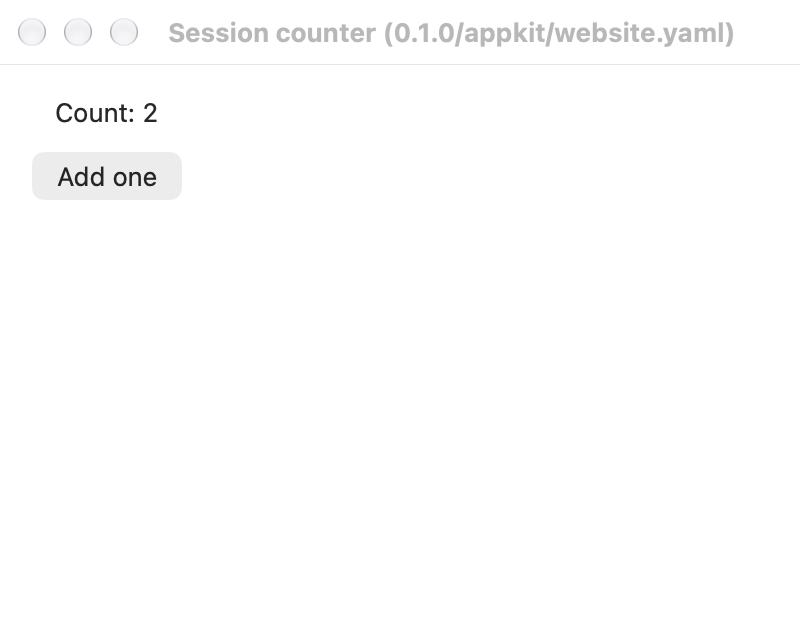
This is the app from lesson 3, running on macOS with AppKit. A scripted run pressed Add one twice and checked the translated count before capturing the screen.
The capture uses English, the light theme, and an 800 × 640 pixel window at 2× scale. It shows this AppKit build; it does not establish how another target looks or behaves.
use day::prelude::*;

day::resources!();
day::day_start!(options: res::window_options(), root);

pub fn root() -> impl Piece {
    let count = Signal::new(0i64);

    column((
        label(res::str::counter_value(count)).id(id!(counter_label)),
        button(res::str::add_one())
            .action(move || count.update(|n| *n = n.saturating_add(1)))
            .id(id!(increment_button)),
    ))
    .spacing(Space::M)
    .padding(Space::L)
}
The lesson includes the Fluent catalog and project setup. Generated res::str messages keep text translatable; symbolic IDs let tests find the controls.
Build a tool that saves people’s work between launches.
Storage example →Fetch data while handling cancellation, response limits, and errors.
HTTP example →Use one Fluent catalog across your screens and their accessible labels.
Localization example →These links lead to separately maintained projects. Check each repository’s current build instructions and target support.
Explore the screenshot gallery to see these apps across platforms, languages, and themes.